
How to Use Instagram for Your Business
Instagram is not just a platform for sharing photos and videos that make your friends jealous of your wonderful life. It is also a powerful marketing tool for businesses.
Instagram is used by over a billion people worldwide every month. Of these billion people, 9 out of 10 follow a business on Instagram. This means that your business has the potential to reach 900 million people on this visually focused social media platform.
Not quite sure how to use Instagram for your business? No problem! This guide will teach you how to successfully use Instagram for your business.
Why Do You Need to Create a Business Account?
Instagram offers three types of user accounts: personal, business, and creator. When you first create an account, it will be set to a personal profile by default. However, you can convert your personal profile to a business account or creator account at any time.
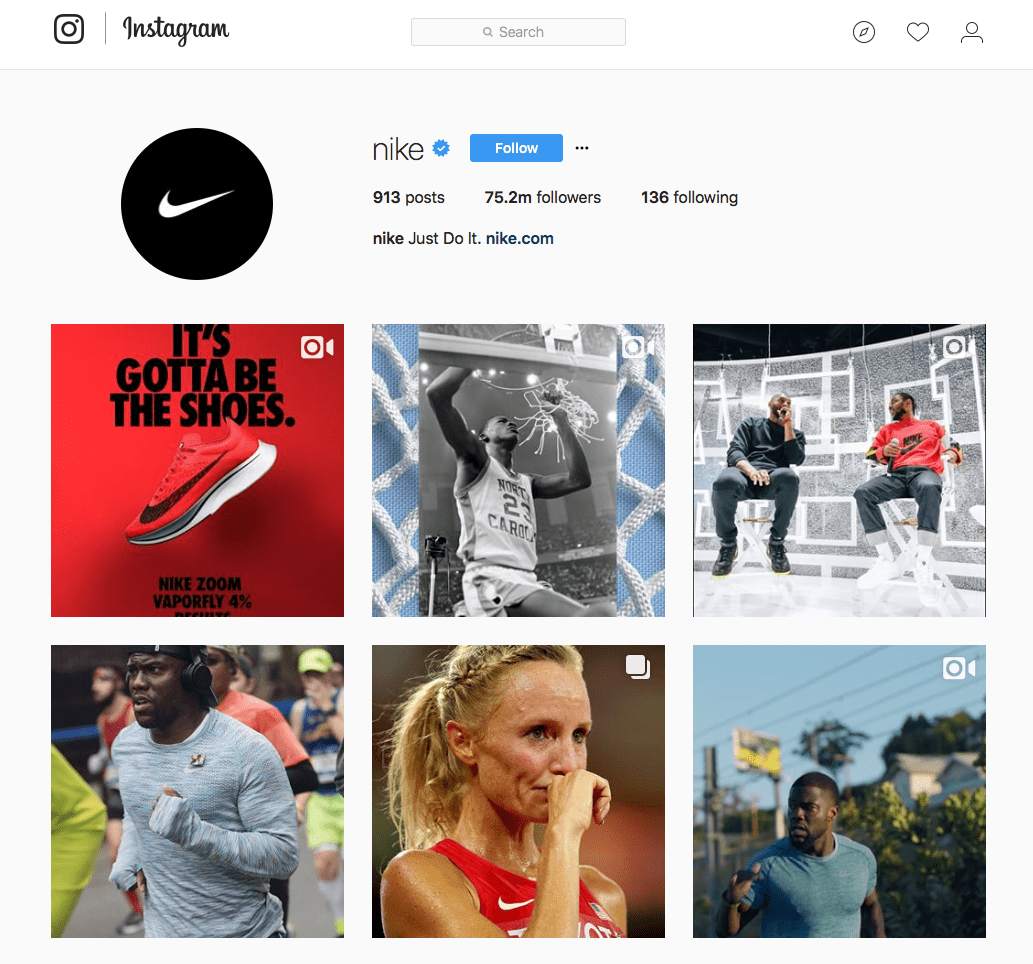
As a business owner, it is better to convert to a business account. This profile is designed for businesses that make money and sell products or services. The creator account, on the other hand, is designed for influencers. However, both professional accounts offer additional features. For example, you get access to the Instagram Insights app and additional contact buttons.
Owning a business account on Instagram brings you another major advantage: access to the API interface. This means you can schedule posts in advance and use third-party analytics tools to find out how well your posts are performing. Creator profiles do not have this access.
How much does it cost to create an Instagram business account? Nothing! It is completely free. So if you are using a personal account to promote your business, you should switch to an Instagram Business account right away!
How to Set Up a Business Account
First, create an account on Instagram. Then convert your Instagram account to an Instagram Business account.
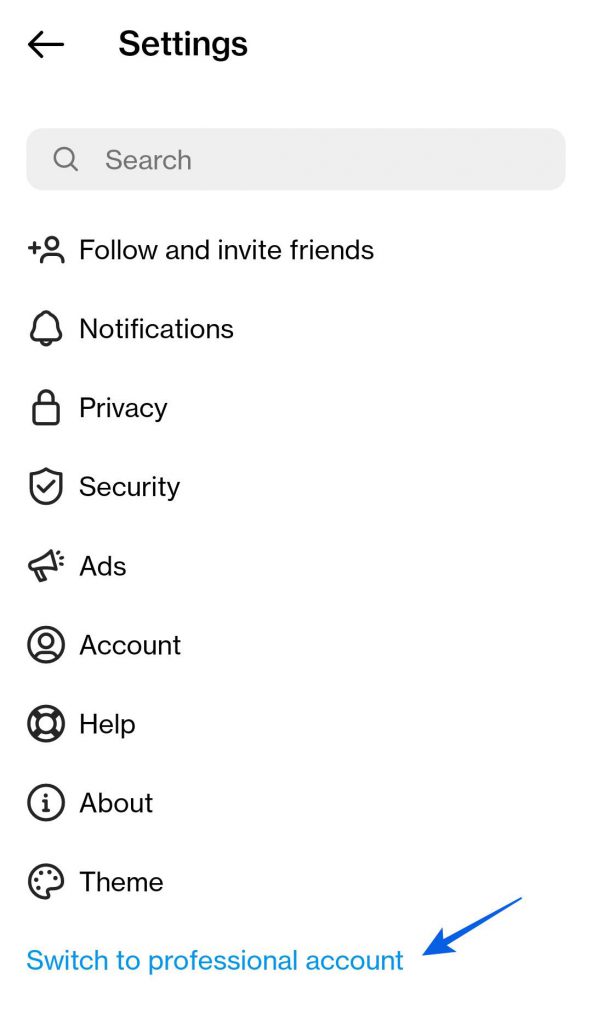
Once you have your account set up, follow the following tips and learn how to make the best use of this powerful tool for marketing, sales, and customer service.
5 Tips for Using Instagram for Your Business
1. Share Content Consistently
Our number one tip: Regularly share posts, stories, and reports on Instagram. If you post regularly, your audience will see more of your brand. You will stay in the spotlight.
However, it is important that you avoid spamming your followers. Don’t post more than once a day. If you really want to show more than one image, you can share multiple photos in one post. However, keep in mind that people won’t swipe forever. Try to limit the number of photos you include in one post.
Stories are a different matter, however. You can upload any number of stories and add new ones as often as you like without worrying about spamming your followers. Stories are separate from the rest of your Instagram channel.
Posts, Stories, and Reels on Instagram
So what is the difference between posts, stories, and reels? Posts and reels on Instagram stay on your profile forever (unless deleted), so they’re best used for updates with polished and evergreen content. Stories, however, disappear after 24 hours (unless you save them to highlighted stories), so you can be more playful. They’re great for behind-the-scenes looks at what you’re working on.
2. Use Instagram to Connect with Customers
Instagram is not just a marketing tool, but also a tool for working with customers. And it’s important to approach it that way, because your followers can become customers. So plan time to respond to comments and direct messages (DM). The latter in particular are often used for product and service inquiries. That’s why it’s important to regularly check your Instagram inbox.
Business accounts on Instagram have two inbox tabs: Primary and General. This two-tab inbox system helps professional Instagram users organize their DMs. Direct messages from people you follow come to your primary inbox first. Less urgent messages can be moved to the General inbox. In the primary inbox you will receive notifications about unread messages, but you can turn them off in settings. In the General inbox, notifications are automatically turned off.
Additionally, you also have a tab called Message Requests. Requests are direct messages from accounts you don’t follow. You can accept or decline these requests. If you accept a message, you can then move it to the Primary or General tab.
3. Check Your Account Analytics Using Instagram Insights
If you have an Instagram Business account, you get exclusive access to the Instagram Insights analytics tool. You can access it by clicking the Insights button on your profile.
Here you can get useful data such as follower demographics, engagement statistics, and the best day and time to share content. Where possible, insights and metrics about your account also include paid activity. Use these insights to shape your content strategy.
Additionally, you can click the View Insights option below individual posts, videos, and reels to view specific insights about that content. For example, interactions, accounts reached, and accounts engaged, etc.
4. Launch an Advertising Campaign on Instagram
Running ads is another feature that is exclusive to Instagram Business accounts. Even an Instagram advertising campaign with a modest budget can deliver great results. It can help you meet goals, such as increasing post reach or selling more products and services. Plus, you can set your own budget. And you can adjust your budget at any time, making it an ideal marketing tool for small businesses.
You can launch and manage Instagram advertising campaigns through Facebook Ads Manager. Why Facebook? Because Facebook owns Instagram. Because many of its users also have Instagram accounts, Facebook merged the advertising options of both networks in one place.
5. Sell Products Through Instagram Shopping
Did you know that with a business account you can sell products directly through Instagram? That’s right! With this feature, your audience can easily shop for your products by simply clicking on your posts and stories. So how does it work? When you enable Instagram Shopping, you get the ability to tag products in your posts and stories. When your audience clicks on the tags, they’ll be directed to your website where they can complete the purchase.
So How Can You Enable Instagram Shopping on Your Account?
- Verify that you’re eligible to sell on Instagram. There are restrictions for some industries.
- Connect your Instagram Business account with your business page on Facebook.
- Upload your product catalog through Facebook or an e-commerce platform.
- Notify Instagram that you want to set up a shop by submitting your account for review.
- Once approved, you can activate Instagram Shopping features and start tagging products from your product catalog in your posts and Stories.
Do you still need to create an online store? Why not check out the award-winning Bluehost web hosting platform? We’d be happy to create a beautiful and professional website for you.
Conclusion: Instagram is a great tool for your business
Instagram is more than just a social network for sharing photos. It is also a powerful tool for marketing, customer service, and sales. Especially if you create an Instagram Business profile. You unlock useful features that allow you to run advertising campaigns, tag products in posts, and display account analytics. So what are you waiting for?
You might also be interested in:
Meta company could add paid blue badges on Facebook and Instagram
What is more important TikTok Likes or Followers?
10 TIPS ON HOW TO QUICKLY GAIN FOLLOWERS ON INSTAGRAM
WHERE TO BUY INSTAGRAM FOLLOWERS?



Michal Záruba je specialista na digitální marketing a konzultant v oblasti sociálních médií a SEO. Více než 8 let pomáhá značkám růst online prostřednictvím strategického obsahu, optimalizace pro vyhledávače a efektivní komunikace na platformách jako LinkedIn, Instagram a YouTube.
Na svém blogu sdílí praktické tipy o tom, jak propojit SEO, sociální sítě a brand building do jedné funkční strategie. Zaměřuje se na to, jak firmy mohou využít moderní nástroje a algoritmy k tomu, aby jejich značka nezískala jen dosah, ale i důvěru.
Když zrovna netvoří obsah, přednáší o digitálním marketingu, školí týmy a sleduje nové trendy v AI a vyhledávání.